
The story of OpenSesame, and the one Steve Jobs photo I really hope to find.
Back in the day at NeXT, everybody was encouraged to work on little side projects. Even us field engineer folks would hack up different things in Objective-C with Interface Builder to try to impress each other. One that I whipped up, called Open Sesame, eventually shipped in NeXTSTEP.
Here’s the icon.

And I hope some day I can find a photo of Steve Jobs with Open Sesame’s icon on the screen. I think he would have used it occasionally.
Amazingly, although the app is long gone, the Open Sesame icon is still shipping from Apple today.
And the junior engineer who helped me ship this app turned out to be somewhat famous.
wait, Open Sesame, what was it?
OK, let me back up a bit. Here’s the situation I was trying to simplify. (You have my permission to skip this part.)
NeXT computers ran the NeXTSTEP operating system, on Motorola 68030 and 68040 chips, on NeXT’s own NeXTCube and NeXTStation computers.
Eventually, NeXTSTEP was ported to run on Intel processors too, and NeXT quit making its own computers, so the Intel version on computers from Canon and Dell and everybody else was the way forward. For the latter part of my NeXT time, I was using a Toshiba Tecra laptop. My NeXT cube lurked in the corner of the office.
Some apps were modified to run on the Intel machines, but not all of them were.
Lotus Improv, for instance, was a pioneering spreadsheet that ran only on the earlier Motorola version of NeXTSTEP.
If you only had an NeXT/Intel machine, and you wanted to run Improv, you weren’t totally stuck. NeXTSTEP had a way that you could launch an app on one machine, but tell it to use the screen and display on another. So if you also had a NeXT Cube or NeXTStation nearby…
It was mildly tricky to set up, but worked great. You had to use a Terminal app on the Intel machine, and from there, log in to the NeXT machine via ssh (wait, back then it was probably rsh), and concoct a command line like this
someNextCube$ /LocalApps/Improv.app -NXHost myMotorolaMachine
That’d run Improv on the NeXT machine, but use the screen and display on the NeXT/Intel machine. And, poof, the Improv icon would show up on your NeXT/Intel machine and you could spreadsheet away. Open spreadsheets stored locally on your NeXT/Intel machine, and the computation would run on the NeXT Cube, and it would be just as if you really had the app on your local NeXT/Intel machine.
All of us field engineer types could figure this out - we lived in the Terminal, and had no problem setting up rsh and a .rhosts file and we could make this work.
Of course there were lots of people who either couldn’t figure it out or wished they didn’t have to do this—isn’t there some way I could just double click on Improv on my Intel machine and (handwaving) the right thing would happen? like maybe could it auto-launch on the NeXT cube over in the corner and do all this rsh and -NXHost stuff for me?
There were also some sysadmin-type apps that you had to run as the root user, not as your logged in user, and that was a minor pain. Log out, log in as root, run the stupid app, log out again, log in as yourself—or, you could use Terminal and sudo and launch the app as root during your normal session, and why can’t we make that automatic too?
my big idea
What if you could select an app and then click something that made it run as root, or on another machine with this NXHost business, and have it just work in your local session ?
That was Open Sesame.
I figured out a way that you could select an app on your local machine, and (unnecessary tech detail: using the Services system) let Open Sesame know that you wanted to launch it on a remote machine (or locally as root), and it would just work with a click or two. No messing around in the terminal. Open Sesame would figure out and execute the necessary rsh or sudo commands for you. Poof, the app just launched the way you want.
I showed this around to a few of my colleagues, and somehow it caught the attention of an actual software engineer at NeXT in California, and he said “this is cool, maybe we can ship this as part of /NextDeveloper/Demos in the next release.”
wait, who was the guy? is that an interesting part of the story?
i’ll get to that in a bit.
Among other things, he fixed up the icon.
Anyway. Starting in NeXTSTEP 3.3 and continuing in OpenStep 4.0, everybody could find my app in the /NextDeveloper/Demos folder. My original version had a really crude 2-bit-grayscale drawing of Aladdin’s magic lamp as its icon, but my colleague created a much better one than the one I’d tried to draw.
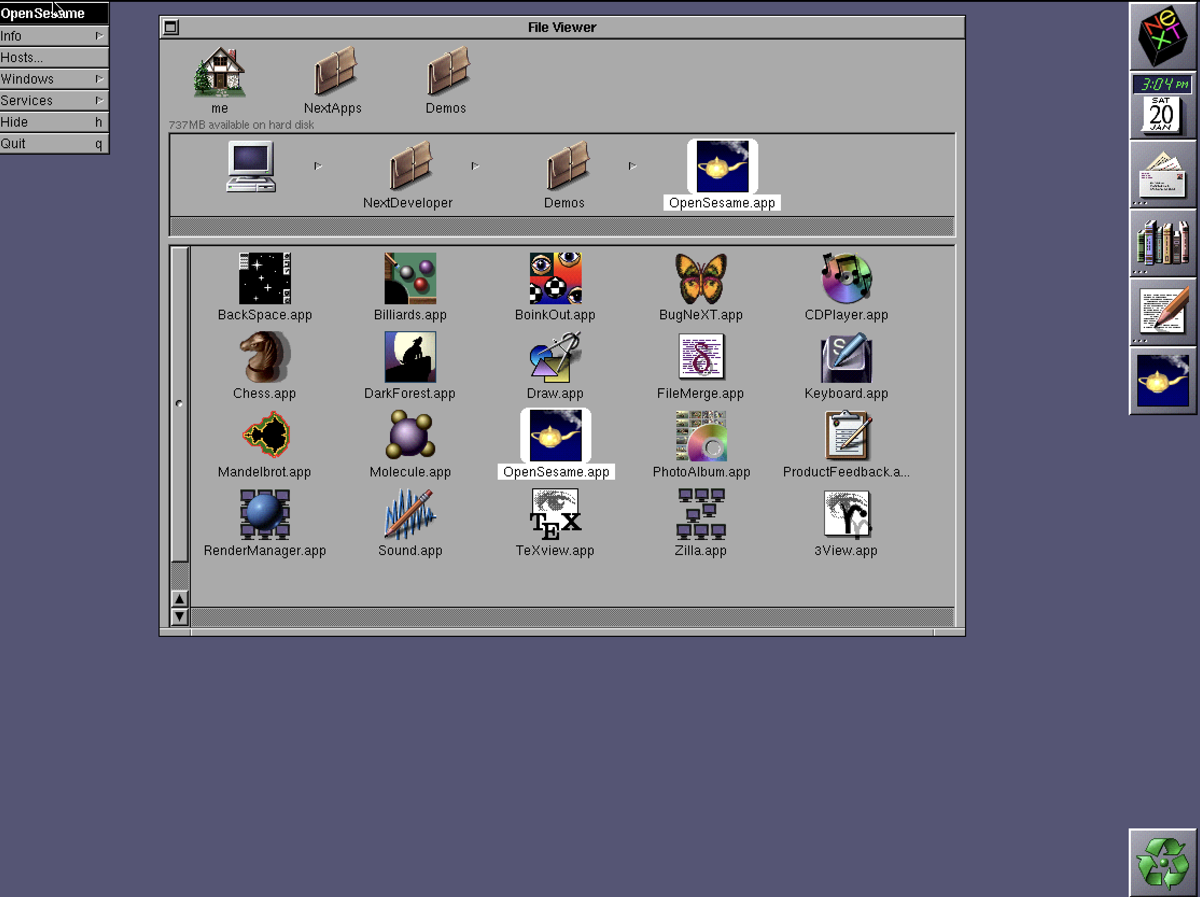
That’s a screenshot of NeXTSTEP 3.3. Mindbogglingly, you can run NeXTSTEP 3.3 in your browser today courtesy of InfiniteMac.org.
did steve jobs ever use this app?
Well, I hope so. Steve used NeXTSTEP on Intel for quite a while, even after coming back to Apple while Mac OS X was still maturing. And there might have been the odd old NeXT app he wanted to use on his NeXTSTEP/Intel machine.
I’ve seen a few photos of SJ using NeXTSTEP on Intel, and I always check out what’s on the screen, very curious to see if the Open Sesame icon is there.
F’rinstance, here’s one photo, from an article in Fortune Magazine. He’s clearly using NeXTSTEP on Intel, but alas, no evidence of the Open Sesame icon.
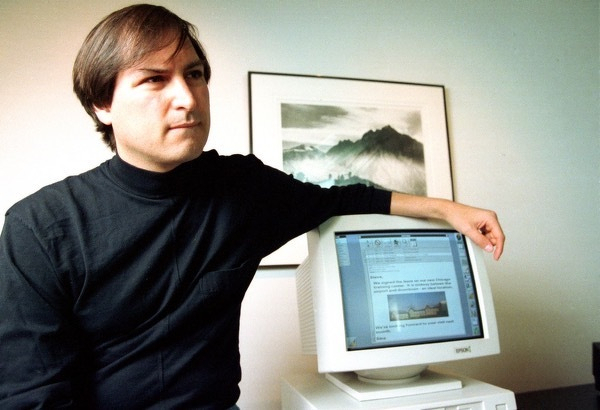
So far, no luck, but I’m still looking.
the Open Sesame icon is still around
Open Sesame is long gone, of course. Once Apple acquired NeXT in 1997 and started to build Mac OS X, it wasn’t needed any more and this -NXHost business, despite being kinda cool, wasn’t a feature going forward.
Weirdly though, this icon is still shipping from Apple, even today, for something totally unrelated. There’s a package from Apple called Additional Tools for Xcode which includes some things that today’s developers find useful.
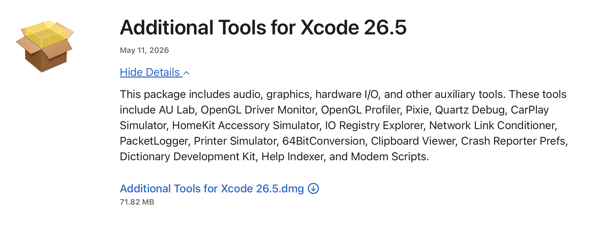
and if you download these modern tools, the icon for one of them in the Utilities set might look a little familiar.
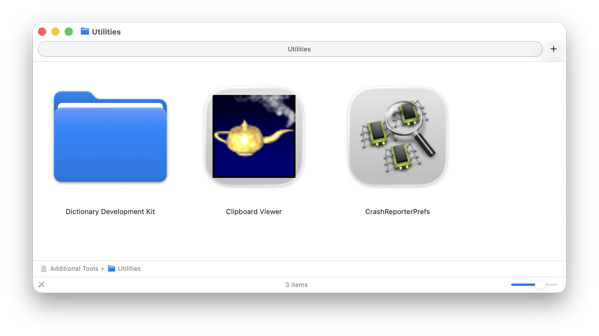
Yup, there it is, 30 years later, the Open Sesame icon is still around, only this time attached to a utility called Clipboard Viewer.
are you going to tell us who the other guy was?
let me fast forward a bit first.
So … at the Apple WorldWide Developer Conference in 2009, I was helping the legendary Apple automation guru Sal Soghoian with a session on scripting and automation in Mac OS X.
Presenting with Sal was always a hoot. He’s a creative and funny guy and it often seemed like the two of us were doing some sort of comedy routine, not just showing off the latest in automation.

Photo of Sal Soghoian by Ihnatko at English Wikipedia, CC BY 3.0, Link
so sal was the other guy?
No. Hang on. Almost there.
Apple had recently introduced a tool called Automator, and one of the things you could do with Automator was to create your own Services that manipulated files.
I wanted to explain that Services used to be really hard to write, but with Automator, they were now easy.
So … I fired up a 15-year-old version of NeXTSTEP 3.3 inside an emulator on Mac OS 10.5 Leopard and showed off how Open Sesame let me open and edit file as root - even files I wasn’t normally allowed to edit. (And then I showed how to do this with Automator, which was sort of the point of the demo.)
People seemed to like it when I mentioned that I had written Open Sesame, long ago, and that some other guy had helped me, and then I brought up the old Info panel for Open Sesame which showed its authors…
at last, the other guy
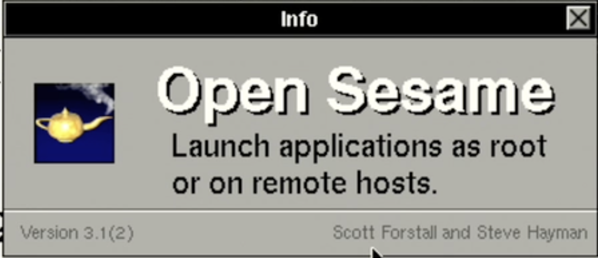
… and then I said, “I guess they listed us alphabetically. I wonder what happened to that other guy?”
That got a good laugh.
what happened to the other guy?
The other guy, who at the time was a junior engineer at NeXT and helped me get the app out and drew the icon, was Scott Forstall, who famously went on to become senior vice president of iOS Software Apple and ultimately left the business in 2013 and who’s now doing nicely as a Broadway producer.
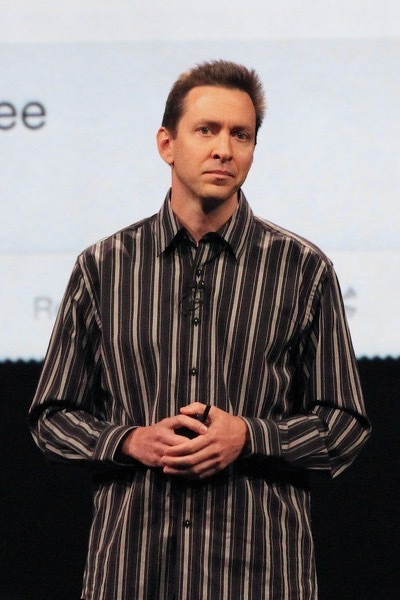
Photo of Scott Forstall by Matt Yohe - Own work, CC BY-SA 3.0, Link
epilogue. one day in 2014 in rural Texas
I was travelling to visit a customer in Texas and driving my rental car on some extremely rural highway late at night, listening to some tech podcasts, including one of my favourites: The Talk Show with John Gruber.
On episode 70 of the old version from 5by5, which I’m having trouble finding a link to but I’ll update this if I do, Gruber was talking to Dan Benjamin about all sorts of random things, and I was sort of half listening, but I jolted upright and almost drove off the road when I heard John say this: