
So, did any politician take the Basic Questions quiz?
So, did any politician take the Basic Questions quiz?
Well, no. Just following up many weeks later - I had the map ready at my door and everything but during the entire election campaign, nobody knocked on the door at all.
So, did any politician take the Basic Questions quiz?
So, did any politician take the Basic Questions quiz?
Well, no. Just following up many weeks later - I had the map ready at my door and everything but during the entire election campaign, nobody knocked on the door at all.
Basic Questions for Ontario Politicians
We have a provincial election coming up in Ontario and I am worried that some politicians do not know enough basic facts about Ontario.
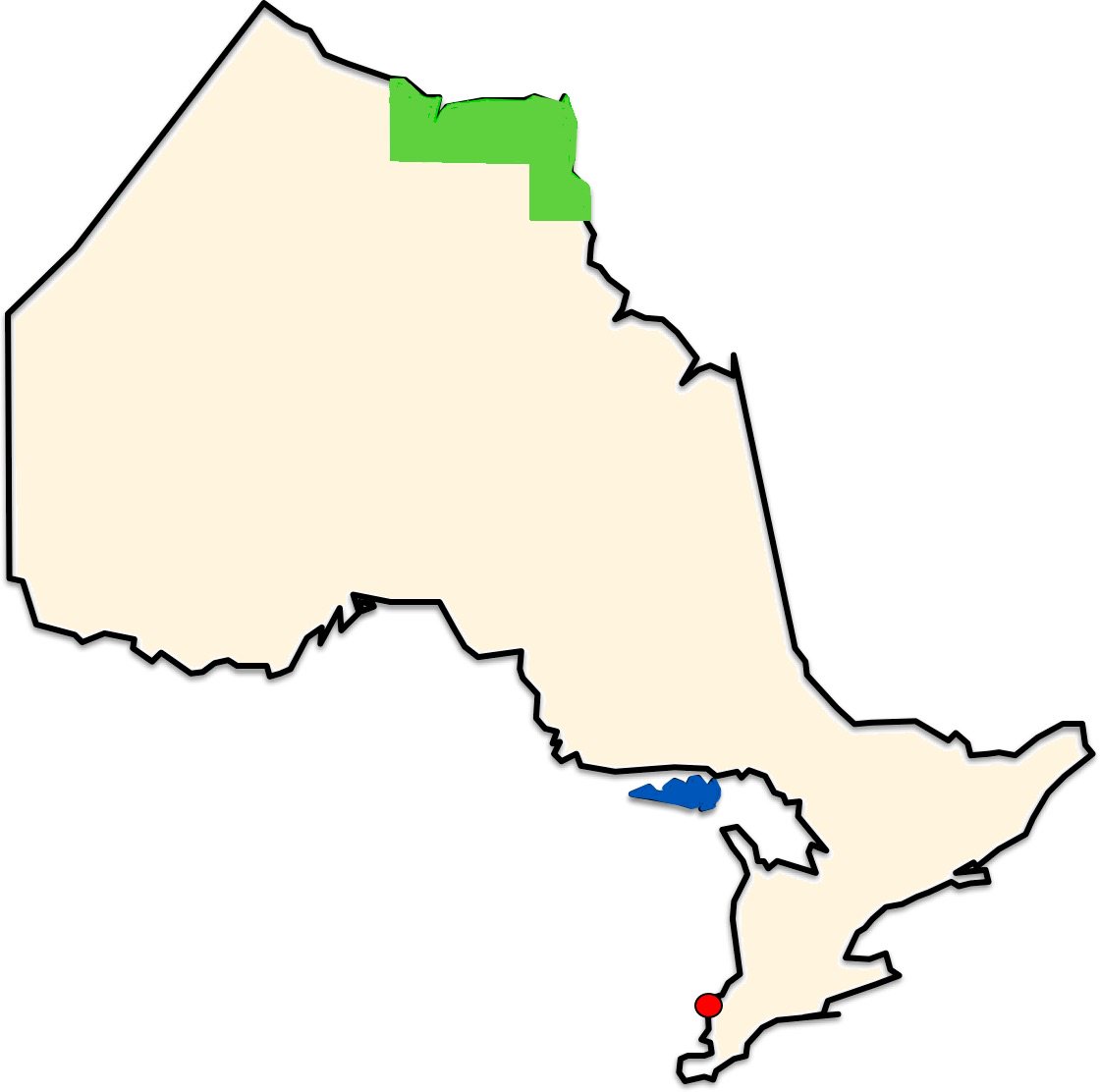
If you want to be part of the government, I think you should know some Basic Information about Ontario. Accordingly, I hope any politician I meet can answer some of these basic questions about Ontario. (I've printed out this map and have it ready by the door in case anybody comes by.)
- Please indicate our current location on the map below.
- What city is marked by the red dot?
- What's the blue island?
- Identify Ontario's largest provincial park, shown in green here.
- Approximately where is North Bay?
- Explain the difference between a University and a Community College.
- Who is the Lieutenant-Governor of Ontario?
- Who is the premier of our neighbour to the west, Manitoba?
- Which of the three flags below is the flag of Ontario? What are the other two?
- If you were driving from Toronto to Niagara Falls, what cities would you pass through or by?
- What is the Chi-Cheemaun?
For bonus points, recite any verse of "The Wreck of the Edmund Fitzgerald", or "Ontari-ari-ari-o".

Basic Questions for Ontario Politicians
We have a provincial election coming up in Ontario and I am worried that some politicians do not know enough basic facts about Ontario.
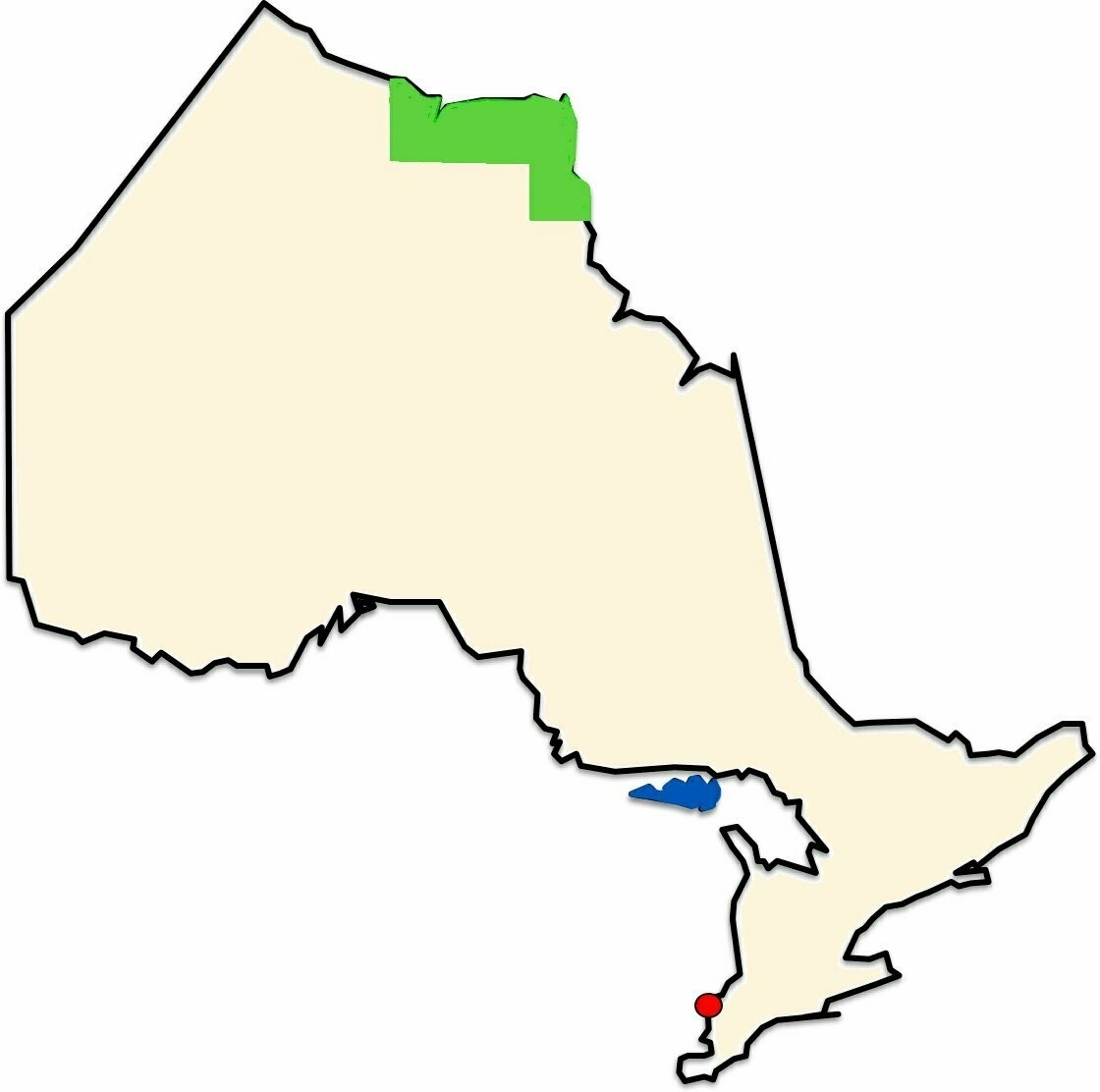
If you want to be part of the government, I think you should know some Basic Information about Ontario. Accordingly, I hope any politician I meet can answer some of these basic questions about Ontario. (I've printed out this map and have it ready by the door in case anybody comes by.)
- Please indicate our current location on the map below.
- What city is marked by the red dot?
- What's the blue island?
- Identify Ontario's largest provincial park, shown in green here.
- Approximately where is North Bay?
- Explain the difference between a University and a Community College.
- Who is the Lieutenant-Governor of Ontario?
- Who is the premier of our neighbour to the west, Manitoba?
- Which of the three flags below is the flag of Ontario? What are the other two?
- If you were driving from Toronto to Niagara Falls, what cities would you pass through or by?
- What is the Chi-Cheemaun?
For bonus points, recite any verse of "The Wreck of the Edmund Fitzgerald", or "Ontari-ari-ari-o".

Ernest Cosmos Quigley
Bruce Arthur’s great Toronto Star article on Steve Nash’s induction in the Basketball Hall of Fame got me digging around to see how many other Canadians are in there. Nash joins fellow Canadian members Dr. James Naismith, Pete Newell, Bobby Houbregs, and the pride of Newcastle, New Brunswick, Ernest Cosmos Quigley.
You don’t know Basketball Hall of Fame member Ernest Cosmos Quigley of Newcastle, New Brunswick? Once upon a time he was “the most famous man in the field of sports.”
Quigley was born in New Brunswick in 1880, played (for James Naismith) and later became AD at Kansas, umpired six World Series, officiated three Rose Bowls - one of the all time great officials. Enshrined in the Basketball Hall in 1961.
Here’s a great story about legendary tri-sport official Ernest Cosmos Quigley, born in New Brunswick but who moved to Kansas at an early age. I admit I’d never heard of the guy before digging around today.
To the sportswriters of today - when you mention Steve Nash and Canadians in the Basketball Hall of Fame, why not throw in a quick mention of Ernest Cosmos Quigley.
Ernest Cosmos Quigley
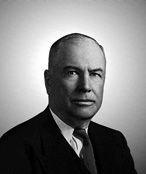
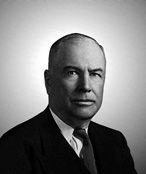
Bruce Arthur’s great Toronto Star article on Steve Nash’s induction in the Basketball Hall of Fame got me digging around to see how many other Canadians are in there. Nash joins fellow Canadian members Dr. James Naismith, Pete Newell, Bobby Houbregs, and the pride of Newcastle, New Brunswick, Ernest Cosmos Quigley.
You don’t know Basketball Hall of Fame member Ernest Cosmos Quigley of Newcastle, New Brunswick? Once upon a time he was “the most famous man in the field of sports.”
Quigley was born in New Brunswick in 1880, played (for James Naismith) and later became AD at Kansas, umpired six World Series, officiated three Rose Bowls - one of the all time great officials. Enshrined in the Basketball Hall in 1961.
Here’s a great story about legendary tri-sport official Ernest Cosmos Quigley, born in New Brunswick but who moved to Kansas at an early age. I admit I’d never heard of the guy before digging around today.
To the sportswriters of today - when you mention Steve Nash and Canadians in the Basketball Hall of Fame, why not throw in a quick mention of Ernest Cosmos Quigley.
Using your Mac as a HomeKit Camera
Want to try using your Mac as a HomeKit camera? Got access to Apple’s developer tools?
-
Go to Apple’s developer tools download site and download “Additional Tools for Xcode”
-
In the resulting disk image there’s a Hardware folder. Launch the HomeKit Accessory Simulator app. Maybe drag it to your Applications folder, add it to your dock, set it to open at login, etc.
-
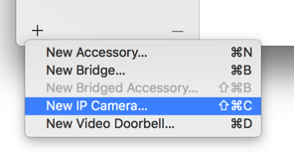
Lower left corner of HomeKit Accessory Simulator, click “+” and then “New IP Camera”
-
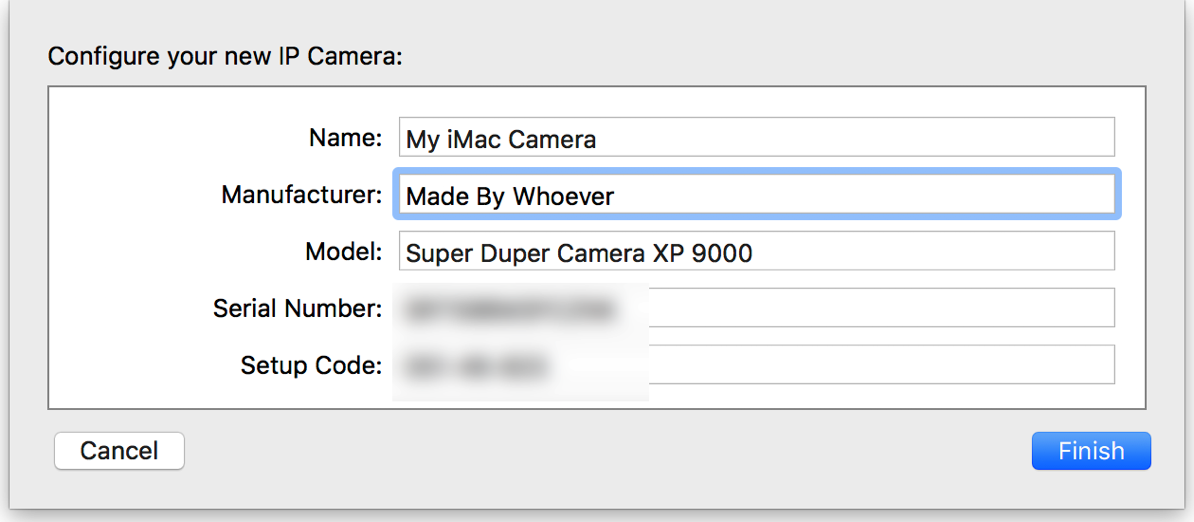
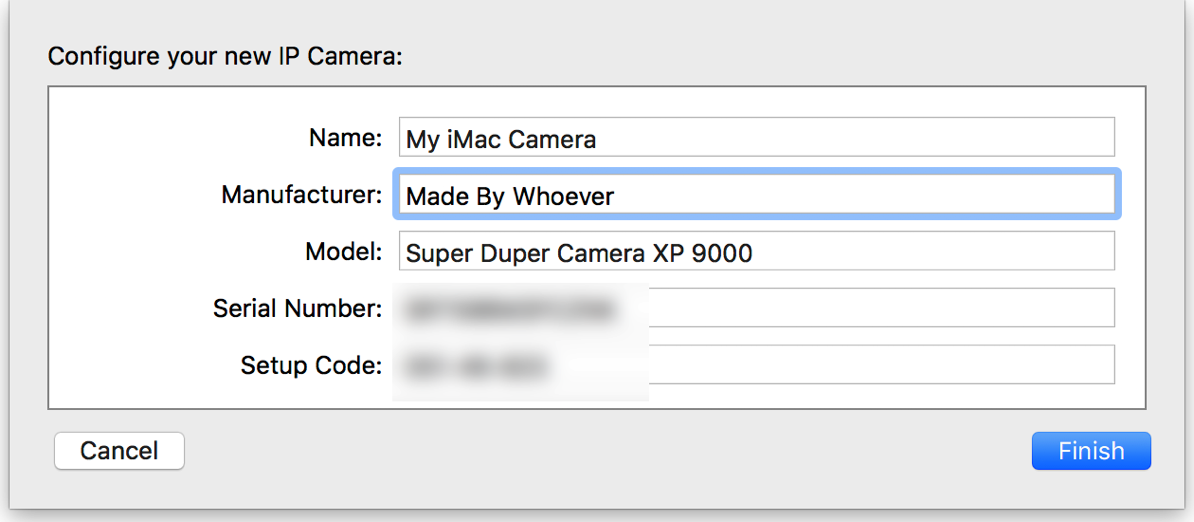
In the “Configure your new IP Camera” section, fill in a name, manufacturer and model. Make up something interesting. Click “Finish”.
-
Scroll down in bottom half of window, click “Start”. Camera image should appear.
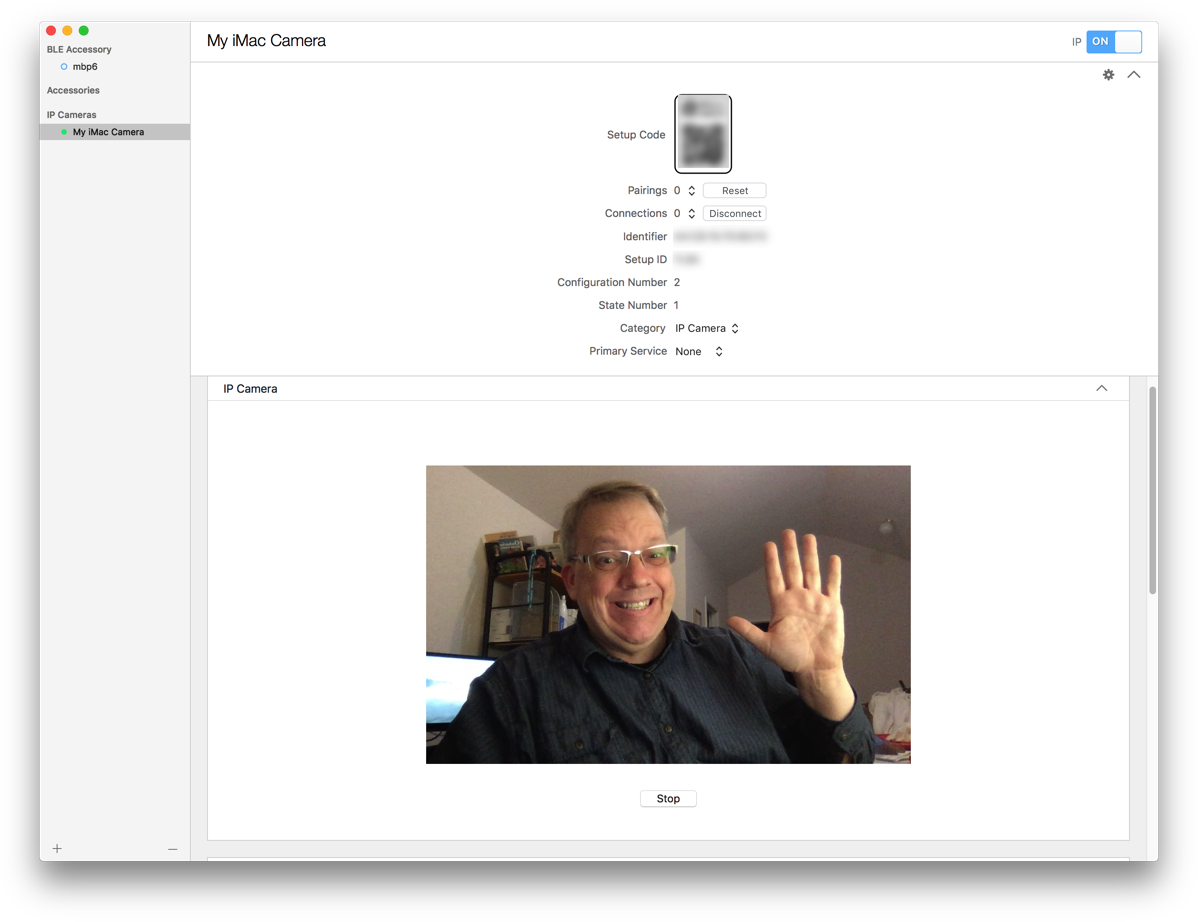
You now have a HomeKit Camera running. See that “Setup code” at the top of the window? To add it on your iPhone…
-
Launch Home app
-
Touch “+” button
-
Touch “Add Accessory”.
-
Point camera at the Setup Code in HomeKit Accessory Simulator on your Mac.
-
It’ll say it’s an uncertified accessory. Click “Add anyway.”
Tada, a HomeKit camera.
Using your Mac as a HomeKit Camera
Want to try using your Mac as a HomeKit camera? Got access to Apple’s developer tools?
- Go to Apple's developer tools download site and download "Additional Tools for Xcode"
In the resulting disk image there's a Hardware folder. Launch the HomeKit Accessory Simulator app. Maybe drag it to your Applications folder, add it to your dock, set it to open at login, etc.
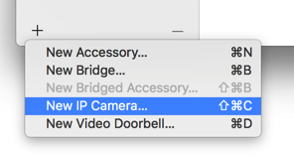
Lower left corner of HomeKit Accessory Simulator, click "+" and then "New IP Camera"
In the "Configure your new IP Camera" section, fill in a name, manufacturer and model. Make up something interesting. Click "Finish".
Scroll down in bottom half of window, click "Start". Camera image should appear.
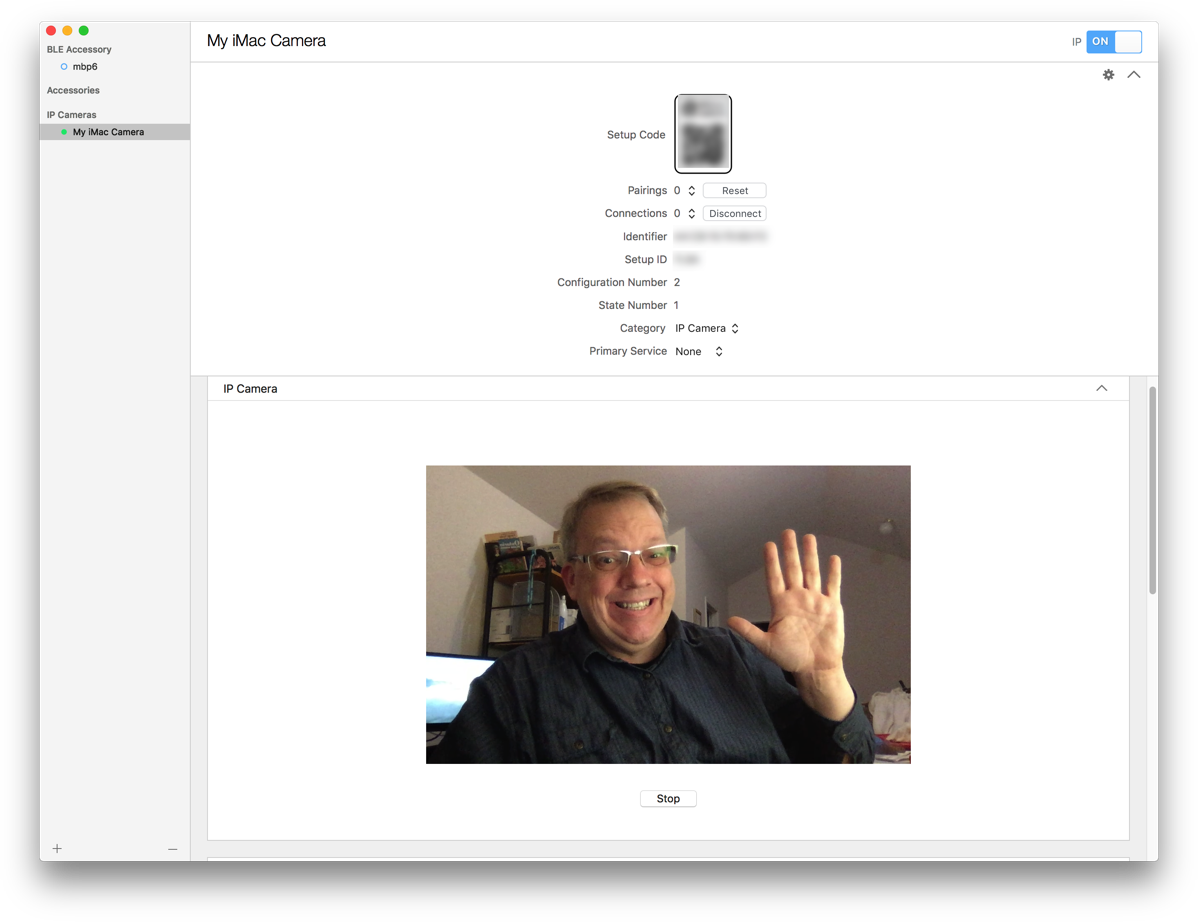
You now have a HomeKit Camera running. See that "Setup code" at the top of the window? To add it on your iPhone...
- Launch Home app
Touch "+" button
Touch "Add Accessory".
Point camera at the Setup Code in HomeKit Accessory Simulator on your Mac.
It'll say it's an uncertified accessory. Click "Add anyway."
Tada, a HomeKit camera.